Install MGUtv on Amazon Firestick
The best and most popular way to stream MGUtv. Use the Downloader app with code 2839028 to install our native MGUtv IPTV App.
Application MGUtv IPTV
Téléchargez et installez notre application native MGUtv pour Firestick et appareils Android TV.
Instructions de configuration sur Firestick & appareils Android
Installer l'application Downloader
Recherchez "Downloader" sur l'écran d'accueil de votre Firestick ou Android TV et installez-la.
Télécharger & Installer l'App MGUtv
Ouvrez Downloader, entrez le code 2839028, puis cliquez sur GO pour télécharger et installer l'application MGUtv.
Ouvrir l'App MGUtv
Lancez l'application MGUtv sur votre appareil. Vous verrirez l'écran d'activation.
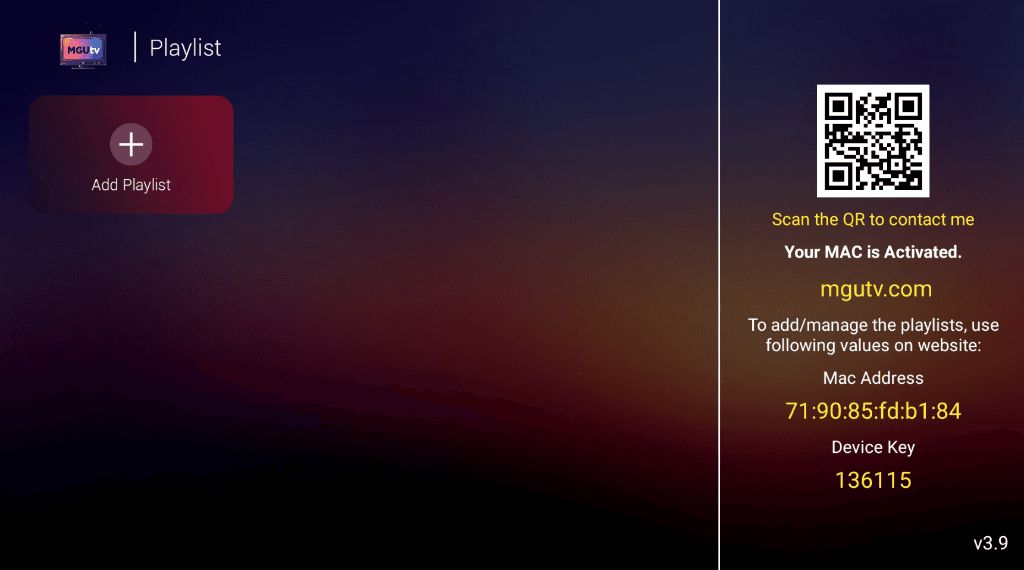
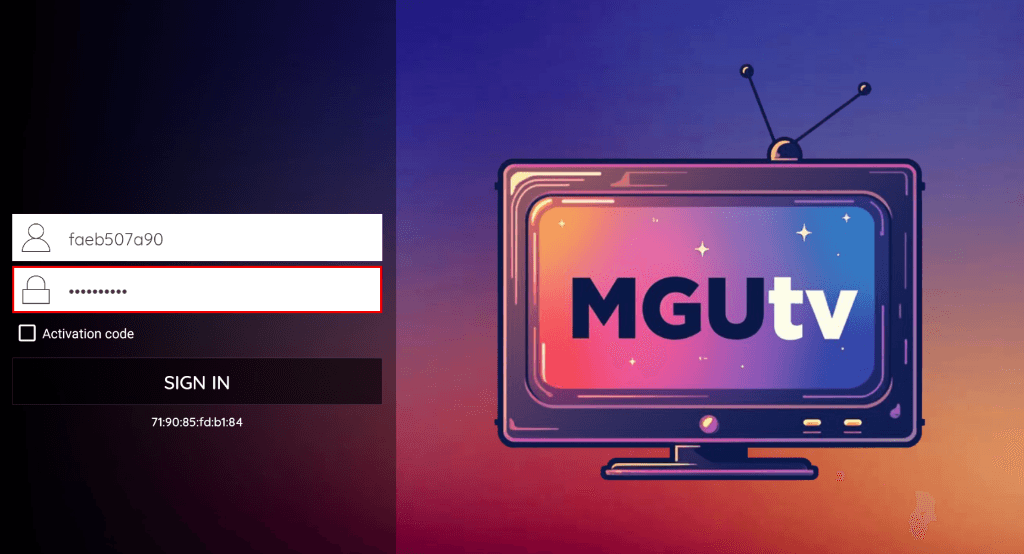
Cliquer sur "+ Add Playlist" & Se connecter
Cliquez sur "+ Add Playlist". Entrez le nom d'utilisateur et le mot de passe fournis ci-dessus (ou par e-mail) et cliquez sur SIGN IN.
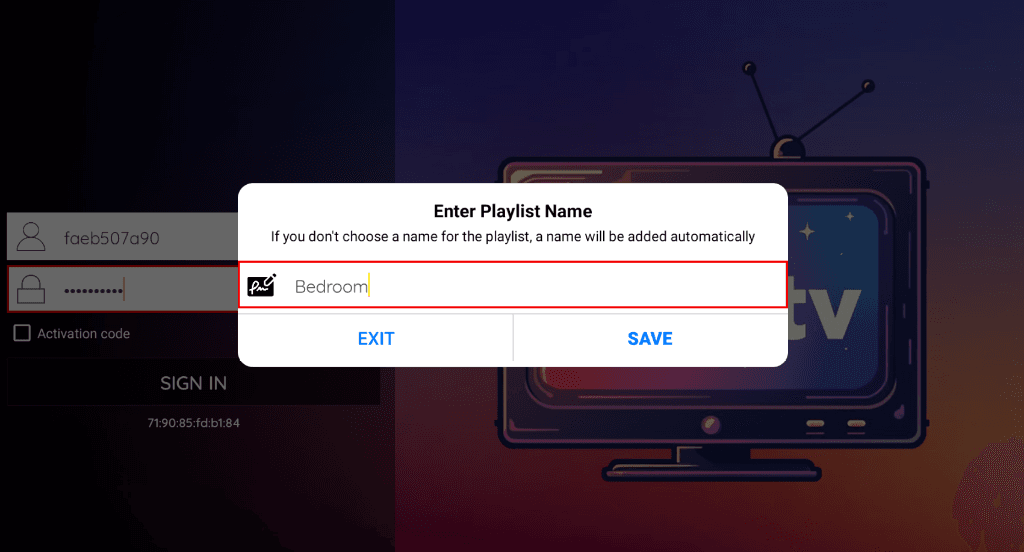
Entrer le nom de la playlist
Tapez n'importe quel nom pour votre playlist (ex: "Chambre" ou "MGUtv") et cliquez sur SAVE.
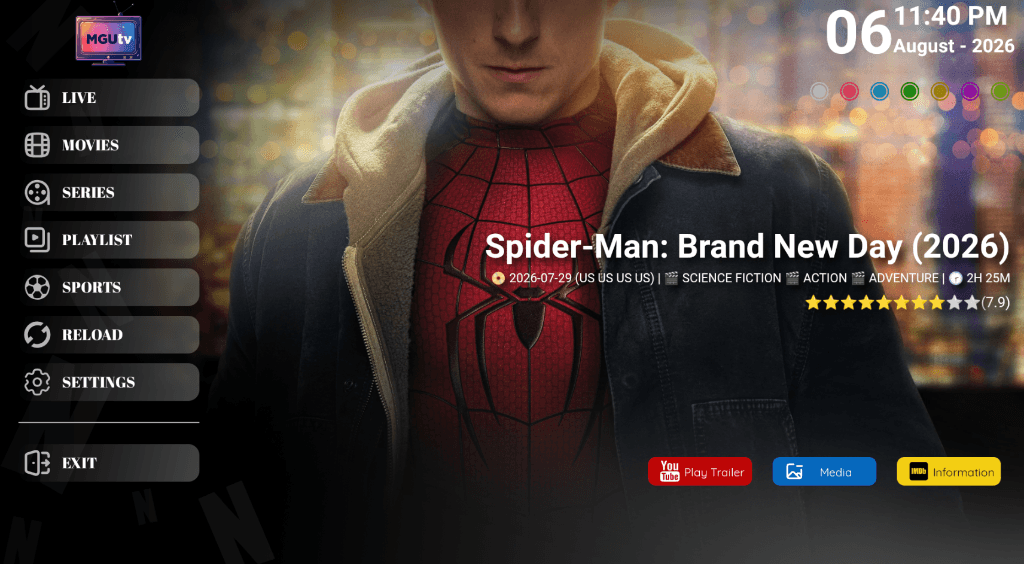
Commencez à regarder & Profitez !
Sélectionnez Live TV, Films ou Séries dans le menu principal et commencez le streaming en 4K !
📱 Instructions de configuration sur d'autres appareils
Besoin d'aide pour la configuration ?
Si vous avez besoin d'aide pour configurer votre appareil, notre équipe d'assistance est disponible 24/7 via WhatsApp ou E-mail.