Install MGUtv on Android TV & Mobile
Easily set up MGUtv on Android TV boxes or Android phones using our Downloader code 2839028.
Aplicación MGUtv IPTV
Descarga e instala nuestra aplicación nativa MGUtv para Firestick y dispositivos Android TV.
Instrucciones de configuración en Firestick y dispositivos Android
Instala la aplicación Downloader
Busca "Downloader" en la pantalla de inicio de tu Firestick o Android TV e instálala.
Descarga e Instala la App MGUtv
Abre Downloader, ingresa el código 2839028 y haz clic en GO para descargar e instalar la aplicación MGUtv.
Abre la App MGUtv
Inicia la aplicación MGUtv en tu dispositivo. Verás la pantalla de activación.
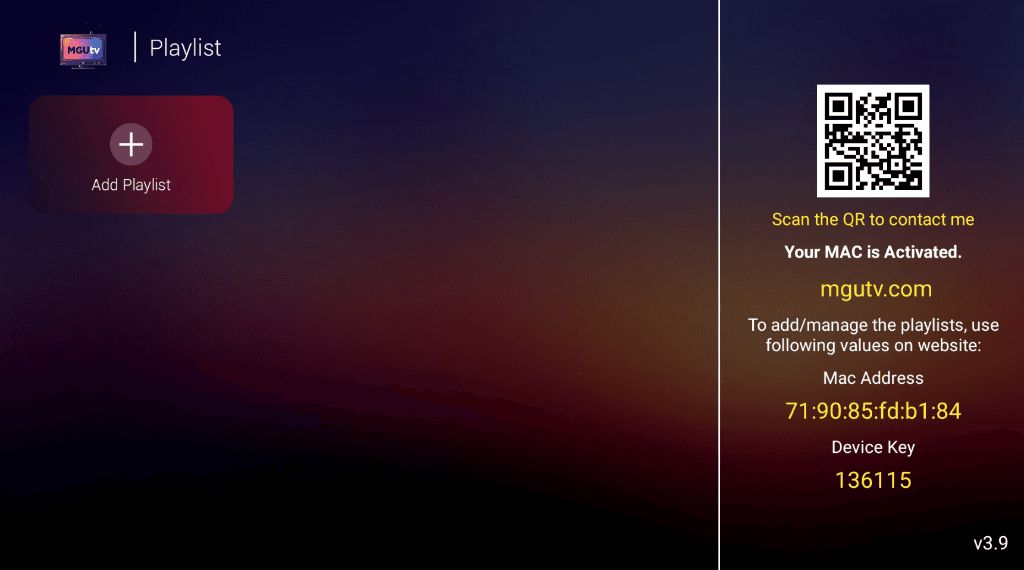
Haz clic en "+ Add Playlist" e Inicia Sesión
Haz clic en "+ Add Playlist". Ingresa el Usuario y la Contraseña proporcionados arriba (o en tu correo) y haz clic en SIGN IN.
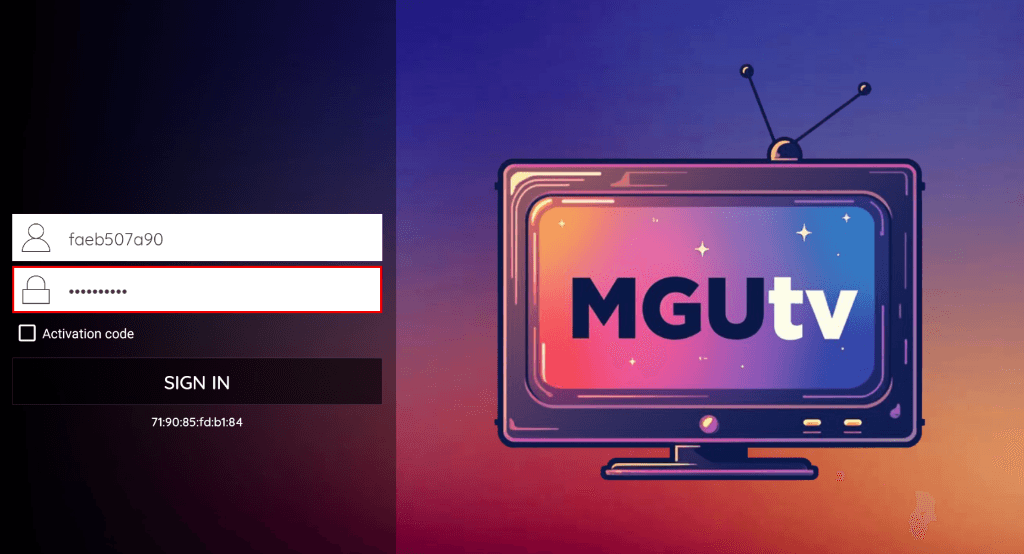
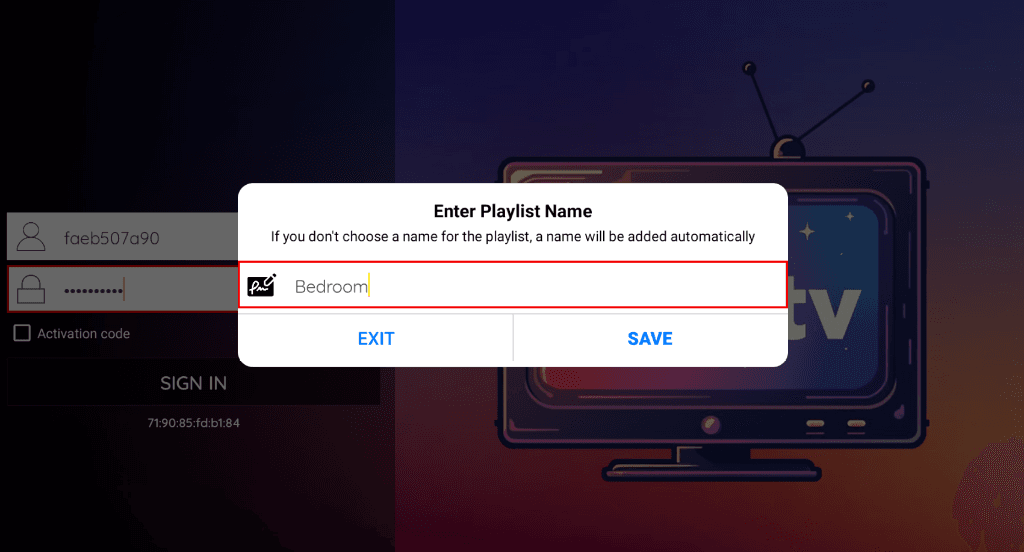
Ingresa el nombre de la Playlist
Escribe cualquier nombre para tu lista (ej: "Habitación" o "MGUtv") y haz clic en SAVE.
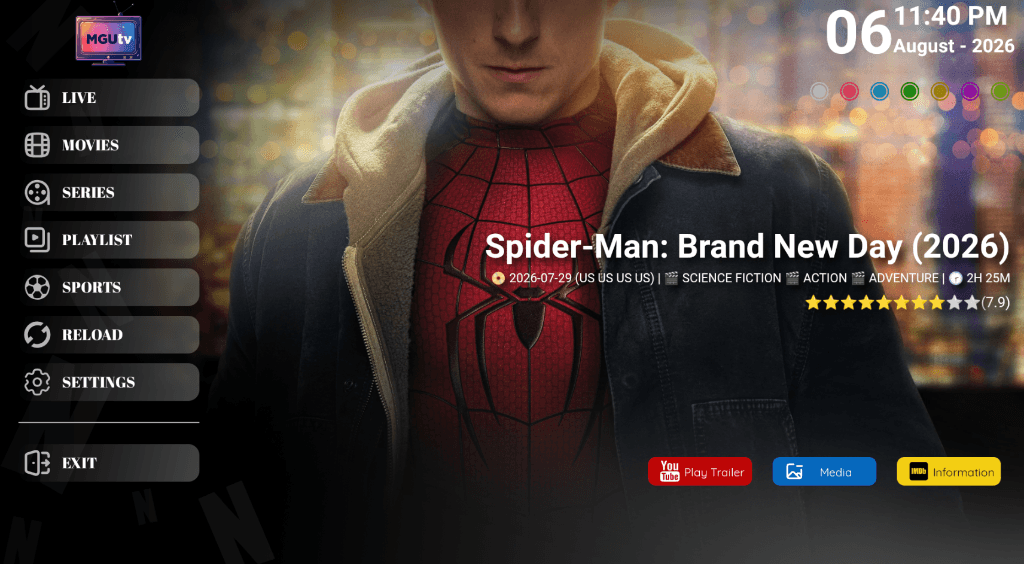
¡Comienza a ver y Disfruta!
¡Selecciona TV en vivo, Películas o Series en el menú principal y comienza a transmitir en 4K!
📱 Instrucciones de configuración en otros dispositivos
¿Necesitas ayuda con la configuración?
Si necesitas ayuda para configurar tu dispositivo, nuestro equipo de soporte técnico está disponible 24/7 a través de WhatsApp o Correo electrónico.