Install MGUtv on Android TV & Mobile
Easily set up MGUtv on Android TV boxes or Android phones using our Downloader code 2839028.
MGUtv IPTV App
Download and install our native MGUtv app for Firestick and Android TV devices.
Setup instructions on Firestick & Android devices
Install the Downloader app
Search for "Downloader" on your Firestick or Android TV home screen and install it.
Download & Install MGUtv App
Open Downloader, enter the code 2839028, and click GO to download and install the MGUtv app.
Open MGUtv App
Launch the MGUtv app on your device. You will see the activation screen.
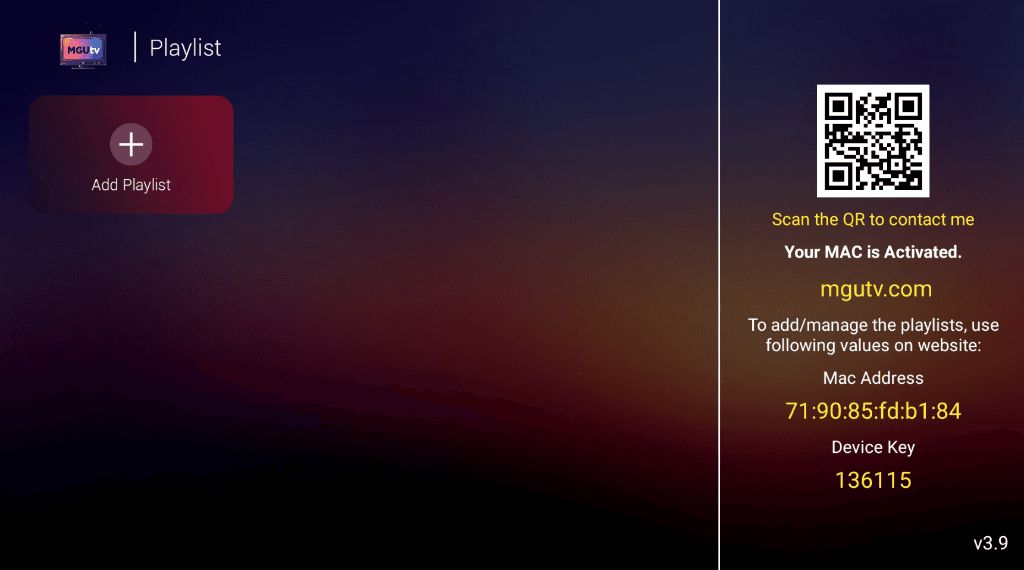
Click "+ Add Playlist" & Login
Click on "+ Add Playlist". Enter the Username and Password provided above (or in your email) and click SIGN IN.
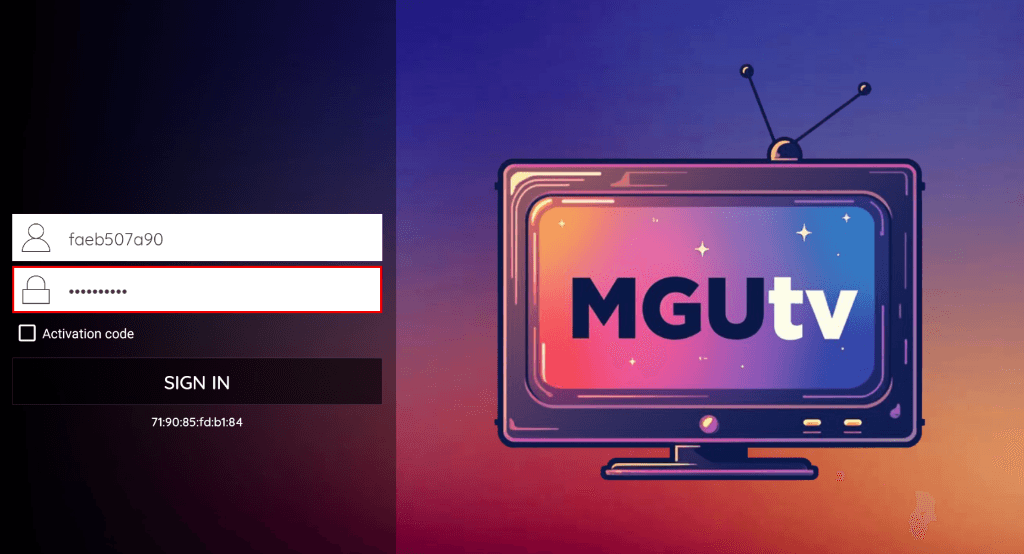
Enter Playlist Name
Type any name for your playlist (e.g., "Bedroom" or "MGUtv") and click SAVE.
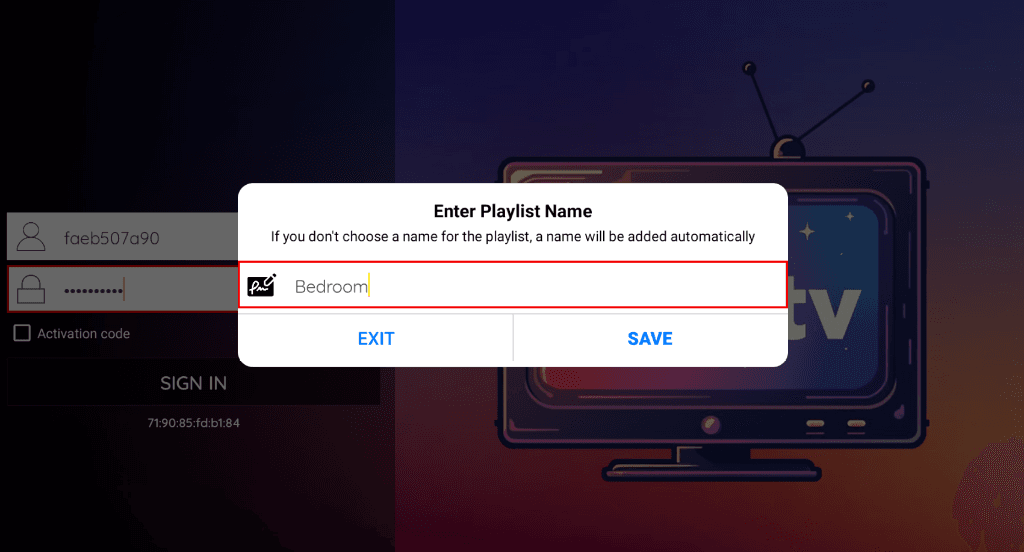
Start Watching & Enjoy!
Select Live TV, Movies, or Series from the main menu and start streaming in 4K!
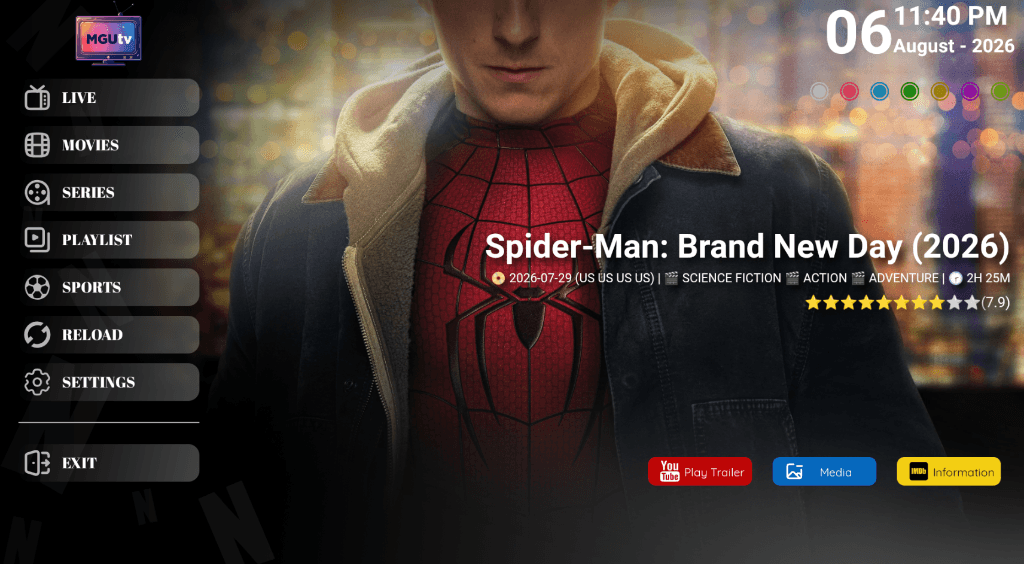
📱 Setup instructions on other devices
Need Help With Setup?
If you need any assistance setting up your device, our technical support team is available 24/7 via WhatsApp or Email.